Got 30 seconds? Here’s the short version
- The safest mounting spots: under the dashboard, under the driver’s seat, under the glovebox, under the rear seat or under the boot carpet.
- Always think about the signal – the tracker (e.g. notiOne GPS PLUS) needs to “see the sky” well enough not to lose GPS and GSM, otherwise geofences, route history and anti-theft alerts will limp along.
- Test it after installation: a short drive around town plus a stretch outside it – check on the map that the position appears quickly, the route is smooth, and notifications (movement, geofence) arrive without major delays.

Simply buying a GPS tracker doesn’t yet protect your car against theft. Whether the device will really help you recover the car comes down to three things: the right mounting location, the power supply and the configuration.
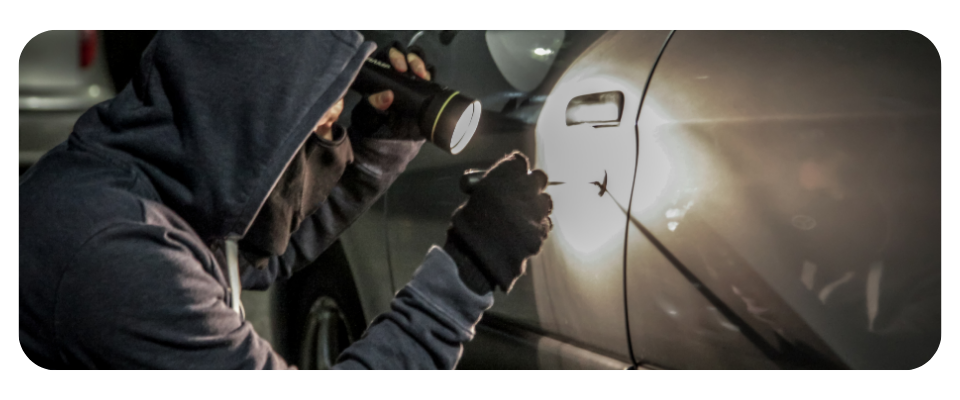
The scale of the problem is real, even if the numbers look “innocent”. It’s worth looking at the subject soberly – especially as we’re talking about cars that were never recovered. According to data from the SAMAR Automotive Market Research Institute, in 2023 alone 5,646 passenger cars and vans up to 6 t were deregistered in Poland due to theft, or roughly 0.03% of the more than 22 million registered cars. In 2024 the number fell to around 5,327 vehicles, but that is still more than five thousand stolen cars a year.
In the Masovian region alone, over 2,100 cars were stolen in 2024, more than 1,300 of them in Warsaw itself – around 40% of all thefts in the country. On top of that, thieves’ methods are changing. Increasingly they use so-called relay attacks on keyless entry systems. Legitimate-looking devices can “extend” the key’s signal and steal a car in 20–30 seconds, without smashing a window and without any noise.
In this reality, a GPS tracker stops being a gadget. It becomes an additional line of defence – provided it is installed sensibly and configured correctly.
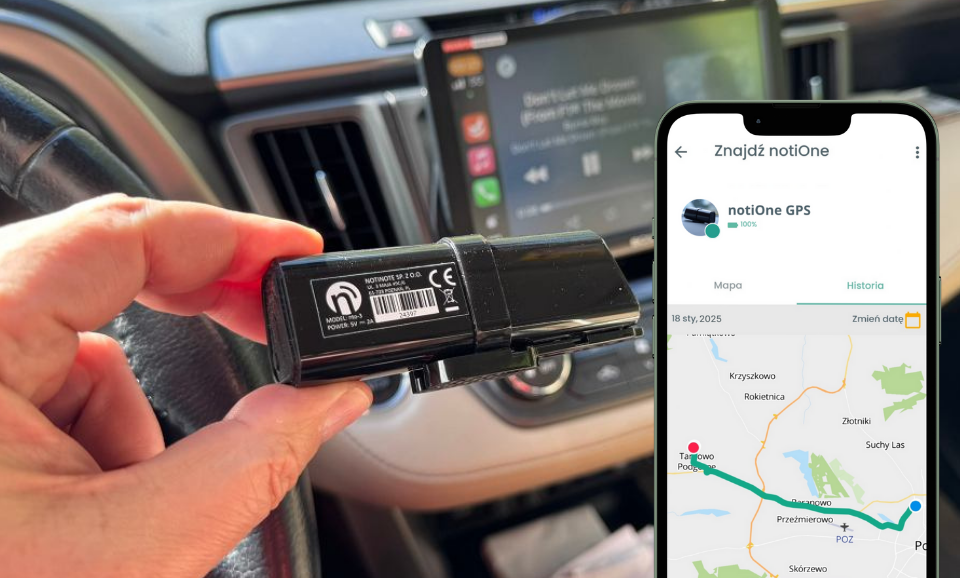
In this article we use the example of the subscription-free notiOne GPS PLUS tracker, which, once connected to the car’s electrical system, lets you:
- monitor the vehicle’s position in the app in real time,
- browse the route history,
- receive anti-theft alerts,
- and also use selected features related to the e-TOLL system (Poland’s electronic toll system).

The most common places to install a GPS tracker
Below is a list of the most commonly used places for hiding or mounting a GPS tracker in a car.
Under the dashboard – discreet installation and a stable signal
Hiding the tracker behind the dashboard trim is one of the most sensible choices. The device sits inside the cabin, so it:
- gets a good GPS and GSM signal,
- is invisible during a cursory inspection,
- is close to the electrical system.
Installation requires removing a few dashboard panels, which is best left to someone who can do it without snapping every clip. A well-executed installation gives a very good compromise between discretion, signal quality and ease of servicing.
Under the driver’s seat – protection from damage
Mounting the tracker under the driver’s seat gives it decent mechanical protection. It’s usually not visible from outside, it’s shielded from kicks or accidental knocks, and it still operates inside the cabin, so the location signal stays stable.
You just need to make sure the cables and the device itself don’t restrict the seat’s movement and don’t rub against the rails. It’s a good spot if you want to combine concealment with a safe environment for the device.
Under the glovebox – easy access and moderate visibility
Mounting the tracker behind or under the glovebox gives you a reasonable compromise. The device is hidden from view, yet still relatively easy to get to when it needs reprogramming, replacing or checking.
GPS and GSM signal quality is usually good here – the glovebox is surrounded by plastic and thin sheet metal. The downside is that anyone who strips the dashboard very thoroughly may sooner or later get to it.
Under the rear seat – a hard-to-detect spot
The space under the rear seat cushion is one of those locations few people think of at first. Nobody looks there in everyday use, and removing the seat takes a bit of work. In many cars the wiring harnesses run through there too, so it’s easier to get power to the tracker.
You do need to make sure the device isn’t pressed directly against the metal – ideally it should be able to “see” the sky at least through a layer of upholstery or plastic. It’s a good spot when concealment is the priority, even at the cost of slightly worse service access.
The headliner – installation in the upper part of the interior
The headliner and the area around the rear-view mirror are places where a tracker has almost ideal working conditions: it sits high up, close to the glass and the thin roof panel. The GPS signal here is usually very good.
The downside is a concrete one: installation is harder, it’s easy to crease or damage the headliner, and badly refitted parts can rattle later on. This is a location for a professional installer rather than someone holding a trim removal tool for the first time.
Under the boot carpet – effective concealment and protection
The boot offers huge scope for placement. The tracker can go under the floor, in a side panel or by the spare wheel well. As a result:
- it’s well hidden,
- it has considerable protection from impacts,
- it’s easier to route the cables (many cars have factory wiring harnesses in the boot).
If the boot is heavily “encased” in metal, consider a tracker with an external antenna so you don’t lose signal quality. Remember that a GPS signal has its limits – in heavily enclosed spots it may simply not reach the device.

Key tracker features vs. mounting location
A GPS tracker’s features don’t work in a vacuum – their effectiveness depends largely on where you actually hide the device in the car. The very same geofencing, real-time monitoring, route history or e-TOLL support can work flawlessly or frustrate you with delays and errors, simply because the tracker was crammed into the wrong place.
Using notiOne GPS PLUS as an example, you can see how installation affects how the system works:
- Current vehicle location in the app – you see the car’s position practically “live”.
- Location history up to 90 days – you can trace routes from the past weeks, e.g. after a theft.
- Anti-theft alert (notification of vehicle movement / pulling away) – you’re informed when the car starts to move.
- Geofences (safe zones) – the app tells you when the car leaves a designated area (e.g. around your home or business).
- e-TOLL support – in selected configurations the tracker can transmit the data required for settling journeys on toll road sections.
All of these features will only work reliably when the tracker has a stable GPS and GSM signal. That’s why, when planning the installation, you should look not only at “where it’s hardest for a thief to reach” but also at the location’s potential in terms of connectivity.
Geofence – effectiveness depends on GPS signal quality
A geofence (safe zone) is one of the most practical features. You get a notification when the car leaves or enters a designated area (e.g. around your home).
This only works well when the tracker:
- has a stable GPS signal,
- doesn’t lose GSM coverage.
A device hidden too deep (metal profiles, inside the sills) will cause delays or false readings – and in a theft, minutes count.
Current vehicle location – a stable signal is the foundation
The current vehicle location feature (seeing the car on the map “here and now”) is the most obvious one, but also the most sensitive to a poor mounting location. If the tracker loses its GPS or GSM signal, the position will refresh with a delay, “jump” around the area or vanish from the map altogether.
So for this feature, the best spots are those in the cabin where the device has a relatively “clear view” of the sky.
Location history up to 90 days – continuity matters, not just a dot on the map
Route history is simply a record of journeys from the last 30, 60 or 90 days. It only makes sense when the data is collected in a continuous and consistent way.
If the tracker is mounted somewhere it frequently loses signal, “holes” will appear in the history: missing sections of the route, odd teleports between cities, gaps in the record. In the event of theft, this can make it harder to reconstruct the car’s actual route.
Anti-theft alert – reaction time depends on the installation
The anti-theft alert (e.g. a notification of vehicle movement or pulling away) sounds simple: the car moves – you get a notification. In practice, its effectiveness comes down to two things:
- how quickly the tracker is able to send the information,
- how hard it is to disable.
That’s why, for alarm features, the priority should be combining a good signal with genuine difficulty in disconnecting the device. The more time and dismantling it takes to reach it, the greater the chance the alert reaches you before the thief even gets to it.
e-TOLL support – position accuracy matters
For systems such as e-TOLL, location precision and continuity of data transmission are crucial. A tracker mounted somewhere it struggles to “see” the sky may:
- report incomplete journeys,
- generate errors or delays in reports,
- cause problems with toll settlements.
So when using a tracker (e.g. notiOne GPS PLUS) for e-TOLL, it’s better to avoid places heavily shielded by metal and deep inside the body structure.

Practical installation tips
How to install a GPS tracker step by step
In simple terms, installing a hard-wired tracker such as notiOne GPS PLUS looks like this:
- Choose the type of tracker and the mounting location.
- Do a “dry run” – check that the device doesn’t interfere with moving parts (seat, seat belt, mechanisms).
- Fix it permanently in place (cable ties, bracket, mounting tape), leaving no play.
- Connect the power supply according to the instructions (ideally with help from an auto electrician or workshop).
- Switch on the tracker and pair it with the app.
- Refit the trim and upholstery so that no traces of the installation are visible.
- Configure the device in the app and test it on a real drive.
What to look out for when choosing a mounting location
Good checklist questions before making the final choice of location:
- Would a phone get network coverage and GPS here?
- Is the tracker too close to heat sources (heater, exhaust manifold)?
- If water gets into the interior, will it end up sitting in a puddle?
- Could it be disconnected in 10 seconds by someone who knows where to look?
The more often you answer “no” to the last question, the better.
Verifying and testing the tracker
Checking GPS signal quality after installation
Once the tracker is installed, it’s worth doing a short test drive straight away – ideally a few kilometres around town and a stretch outside the built-up area.
- Drive away from your home or garage.
- Open the app and see how long after turning the key the first stable position of the car appears.
- During the drive, check whether the trail on the map forms a realistic route, and that the car doesn’t suddenly “jump” a few streets, disappear for longer periods or drive parallel to the road.
If the tracker spends a very long time “searching for a position”, the first points only appear after several minutes, and the route looks unnatural, that’s a sign that the mounting location is weak – it’s worth moving the device elsewhere in the car or considering an external antenna before you call the installation finished.
Testing the location and communication features
The next step is to test the features:
- set up a geofence around your home/business and check that the leave/return notifications arrive with a reasonable delay,
- verify that speed and movement alerts, and any power-cut alarms, are working,
- if you use e-TOLL – make sure journeys are being reported correctly.
The point is to be sure that in a real emergency the system will behave the way you expect.
Summary – a GPS tracker isn’t a “gadget” if you install it sensibly
A good GPS tracker with a bad installation is, in practice… weak protection. For notiOne GPS PLUS to genuinely help in a theft, it needs a stable signal, a permanent power supply, and to be hidden so that a thief can’t unplug it in a few seconds.
If you’re taking the subject seriously, it’s worth spending a moment choosing the mounting location and testing after installation. It’s a one-off job that could determine whether, if trouble strikes, you see the car’s real route on the map – or just a blank screen.
If you’re looking for a subscription-free GPS tracker for your car that, once permanently installed, will let you track the car, set geofences, receive anti-theft alerts and use e-TOLL, check out notiOne GPS PLUS on our website. Better to do it before something happens than to regret afterwards that the car only had a factory alarm.